
Every conversation in one place
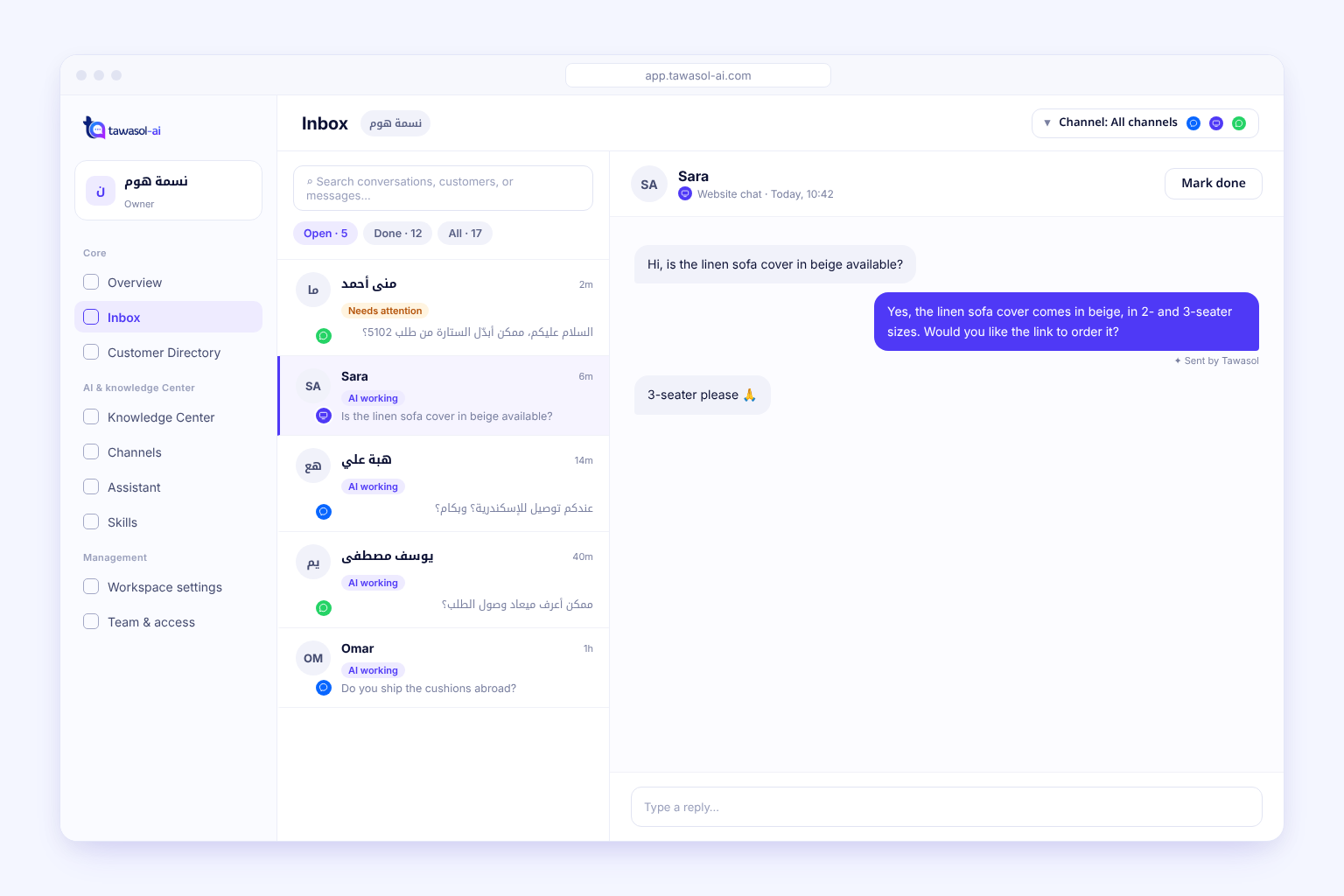
WhatsApp, Messenger and website chat in one Inbox. Filter by channel, see what needs your team, and step in whenever you want.

Verified Meta Tech Provider
Built and verified to help businesses connect with customers across Meta technologies.
Website chat · WhatsApp · Messenger · Instagram
How it works
All your conversations in one place, step by step
- Website chat, WhatsApp and Messenger in one place.
- Your team can open any full chat.
01One Inbox
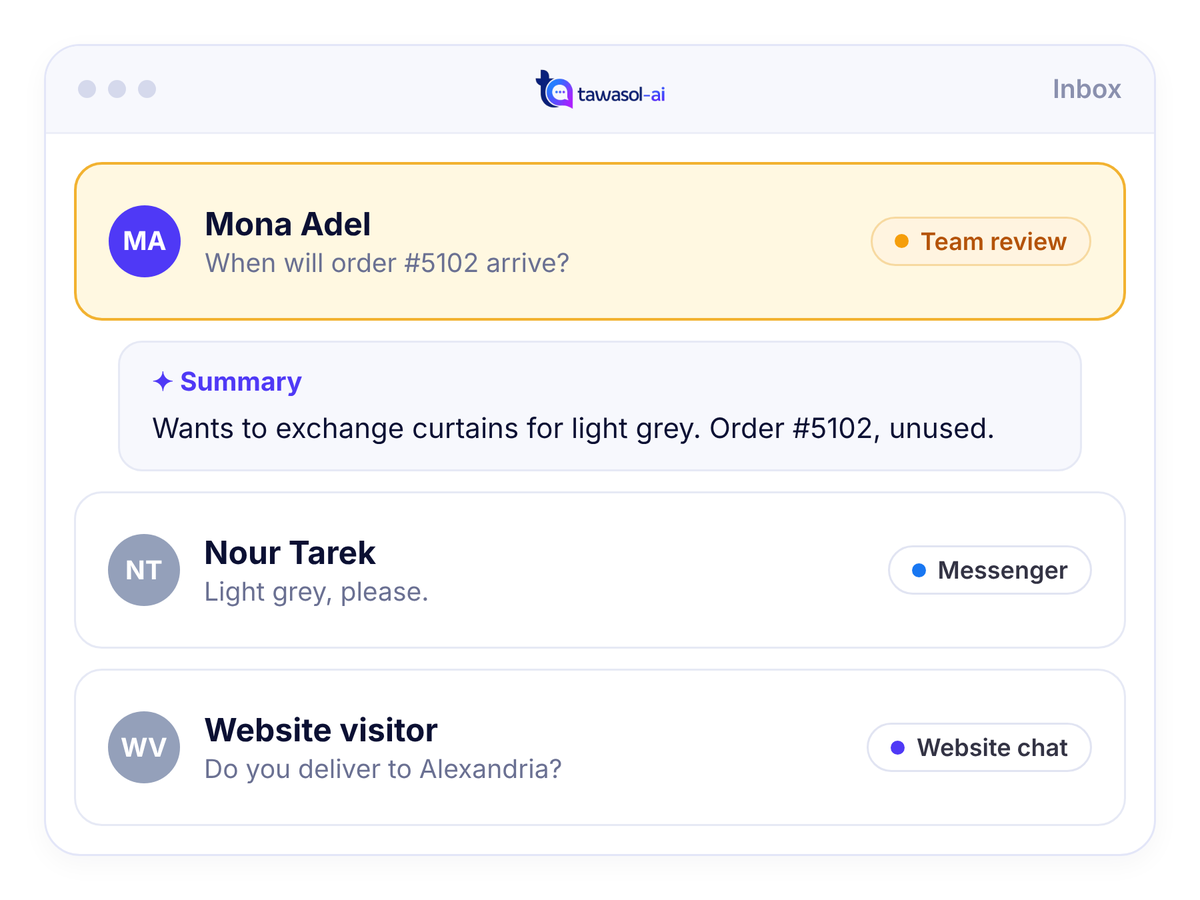
- Website chat, WhatsApp and Messenger in one place.
- Your team can open any full chat.
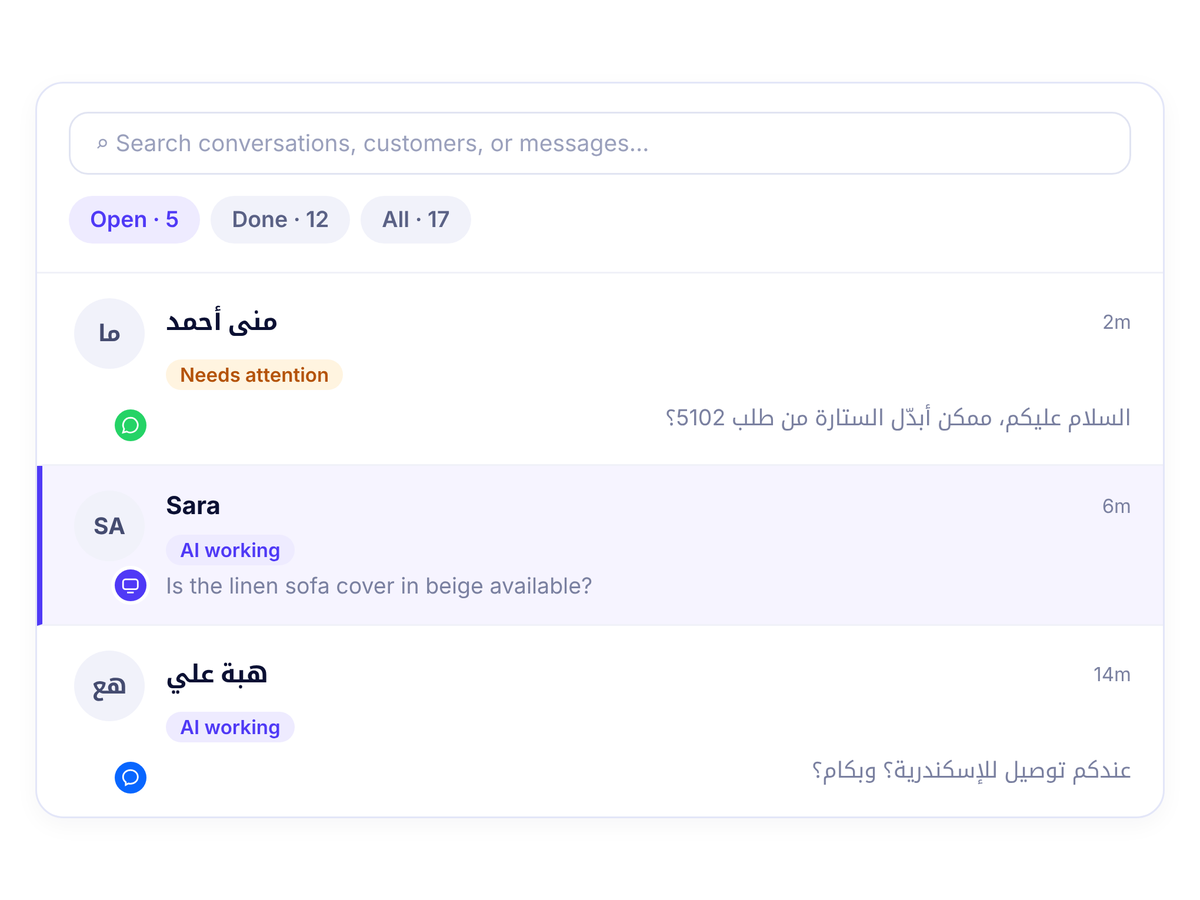
02Filter conversations
- Open, Done and All.
- Search by customer details, message text or summary.
03Mark done
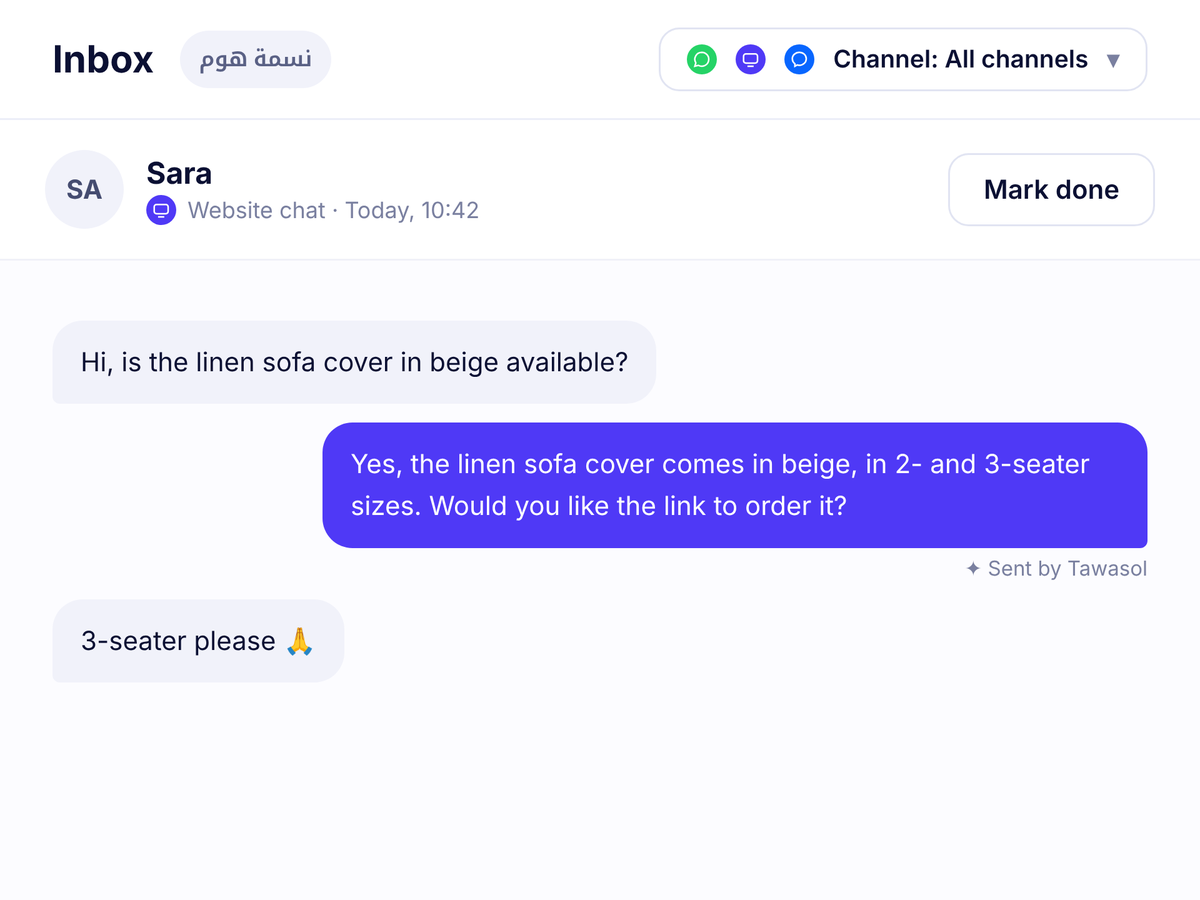
- Done? Mark it as followed up.
- Reopen it if it's needed again.
Example
A Messenger message, in the same Inbox
CustomerMessenger
- What time does the store open?
Wasel
We’re open every day from 10 am to 10 pm.

FAQ
What you need to know before you start
How does my team find conversations that need attention?
Conversations that need team follow-up are marked Needs attention in the Open queue. Your team can review the conversation summary, open the full chat and reply. Open, Done and All queues and channel filters help organize the work.
What can I search for in Tawasol’s Inbox?
Inbox search matches customer details such as name, email and phone number, along with conversation titles, message text and summaries. Use the channel filter to narrow the list to website chat, WhatsApp, Messenger or Instagram.
What happens to Wasel’s AI replies when a team member responds?
When your team takes over and AI is paused in that conversation, Wasel stops automated replies there. New customer messages still arrive in the Inbox. Your team can use Resume AI when it is ready to enable replies to future messages.
Where can my team review customer contact details?
Customer contact details are available in Tawasol’s Customer Directory. The Inbox keeps the conversation history and follow-up context, while the directory helps your team review the contact information collected for the customer.
Start in 3 steps
Add your business info
Your articles, files or website link.
Add chat to your website
Customers reach you right from your site.
Connect your channels
WhatsApp and Messenger when you're ready.
Give every customer a reply like your team’s.
Connect your knowledge and channels on Tawasol. Wasel answers from what you approve, while your team stays close to every follow-up.
Guided setup · Replies from your knowledge · Your team can take over at any time