
Tawasol
How to handle course inquiries on WhatsApp without overloading your team
Course inquiries arrive on WhatsApp, Messenger and Instagram all day. Learn how academies can answer them from their own course information and keep the team in control.
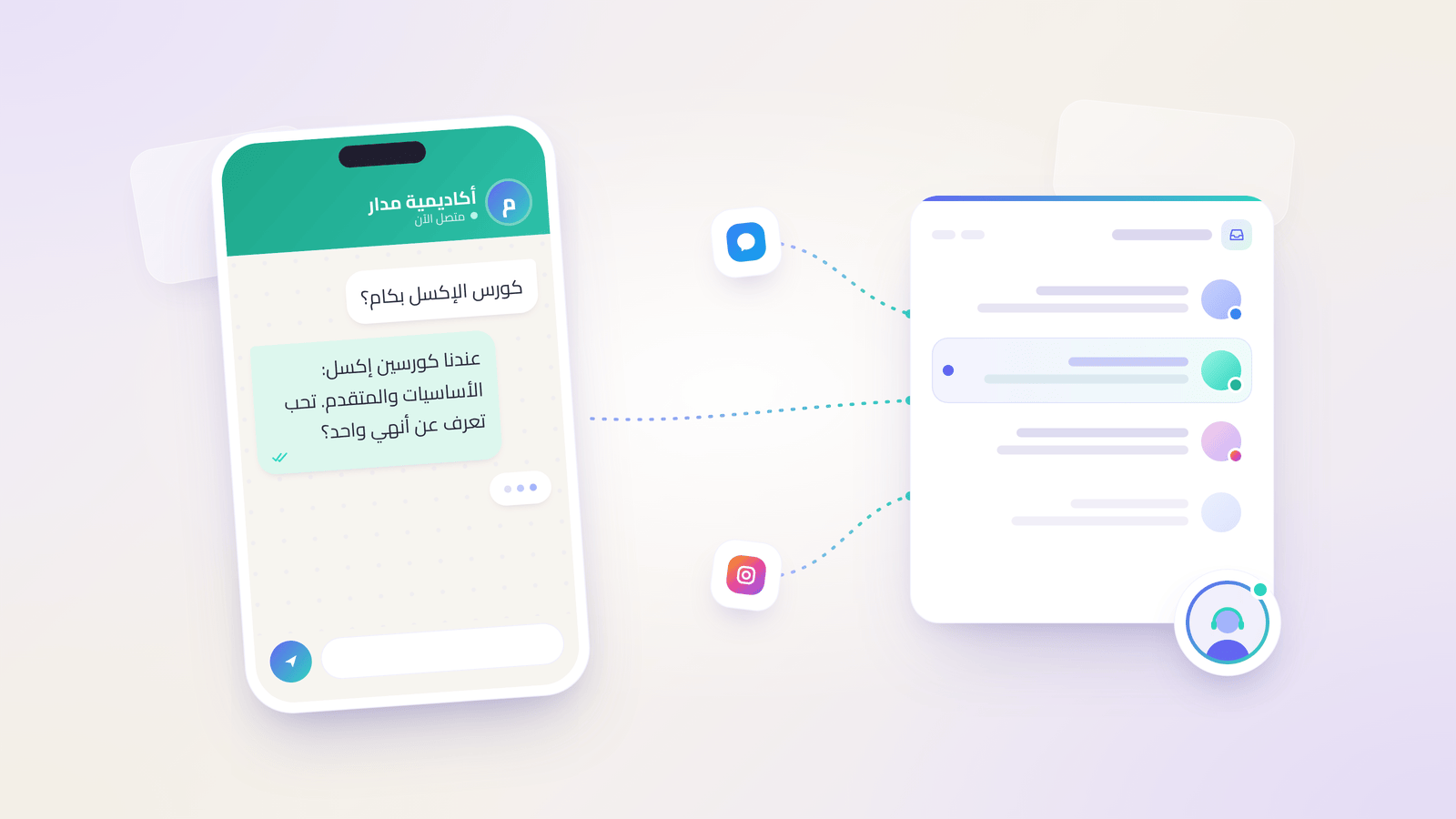
The short answer: put your course details in one place, let Tawasol answer the repeated questions on WhatsApp, Messenger and Instagram from that information, and bring your team in when a student needs a person. Every conversation stays in one shared Inbox, so nobody has to scroll through phones to find out who replied.
A typical evening at an academy looks like this: one person asks on WhatsApp how much the Excel course costs, another asks on Instagram when the next group starts, and a third sends a Messenger message asking whether the certificate is accredited. The questions are similar, but they arrive on three channels, and someone on the team has to answer each one.
This guide is for academy owners and admissions teams who want to handle course inquiries without the team feeling stretched.
Why course inquiries overwhelm academy teams
Course inquiries are repetitive but scattered. The same questions about prices, schedules, start dates, location and certificates arrive on WhatsApp, Messenger and Instagram, often outside working hours. When one or two people cover every channel, replies depend on who is free, answers can differ from one teammate to another, and it gets hard to know which student was already answered.
Most of these questions already have answers somewhere: in a course PDF, on your website or in a teammate's head. The problem isn't missing information. It's that the information isn't in one place that every channel can use.
Auto-reply or answers from your course information?
A basic WhatsApp auto-reply sends the same fixed message to everyone, such as "Thanks for your message, we'll get back to you soon." That confirms the message arrived, but it doesn't answer the question. Tawasol works differently: it reads the student's question and answers from the course information you added, and asks one short question when something important is missing.
Here is what that looks like for Madar Academy, a fictional academy we use for examples:
Student: How much is the Excel course?
Tawasol: Madar Academy has two Excel courses: Excel Basics and Advanced Excel. Which one are you interested in?
If the price for each course is in Madar's information, the next reply gives it. If it isn't, Tawasol doesn't guess. It says so and brings the team in. You can read more in our guide to knowledge-based replies.
| Basic WhatsApp auto-reply | Tawasol | |
|---|---|---|
| What the student gets | The same fixed message | An answer to their question |
| Where answers come from | A message you wrote once | Your course information |
| Missing details | Not handled | One short clarifying question |
| Needs a person | Student waits | Conversation goes to your team with a summary |
What to prepare before you start
Start with the questions students actually ask. Go through your recent WhatsApp, Messenger and Instagram chats and list the most repeated ones. Then write clear answers for each course: price, duration, schedule, start date, location or online format, requirements, certificate and how to register. Clear, current information is what Tawasol answers from.
A simple structure per course works well:
- Course name and level (for example, Excel Basics, for beginners)
- Price and payment options
- Duration and schedule
- Next start date
- In person or online, and where
- Certificate details
- How to register
- When to contact the team (for example, group discounts or special cases)
Our knowledge and testing guide walks through adding this information and testing replies before you connect a channel.
Keep your WhatsApp number and the app
Many academies worry about losing the number students already know. Tawasol connects WhatsApp through Meta's setup, and supports WhatsApp coexistence: where Meta supports it for your account and number, the same number can keep working in the WhatsApp Business app. Meta decides eligibility during setup. If your number isn't eligible, you can connect a separate number.
When coexistence is active and someone on your team replies from the app, the reply appears in the Tawasol Inbox and automated replies pause in that conversation, so the student doesn't get two answers. See the WhatsApp feature page for setup details.
When your team steps in
Tawasol is a support teammate, not a replacement for your admissions team. When a student asks for a person, or the answer isn't in your information, the conversation goes to your team. A teammate can also take over any conversation from the Inbox at any time. When your team replies, or someone pauses the AI manually, automated replies stop in that conversation.
Your team doesn't start from zero. Each handoff comes with an escalation summary:
- What the student asked for
- What Tawasol already did
- What is still open
So if a Madar Academy student asks about paying in installments and that policy isn't in the course information, the teammate who opens the conversation sees the request, the course the student was asking about and the open question, without asking the student to repeat everything. Learn more about human handoff.
One Inbox for WhatsApp, Messenger and Instagram
Students choose the channel, not you. Tawasol brings WhatsApp, Messenger, Instagram and website chat conversations into one shared team Inbox. Your team sees each conversation's history in one place and can tell what's been answered, what's been handed off and what still needs a reply, whichever channel the student used.
Tawasol also replies in the language of the customer's last message. If a student writes in Arabic, the reply is in Arabic, and if they switch to English, the reply follows.
Get started in 3 steps
- Add your course information to Tawasol and test a few real student questions.
- Connect your channels: WhatsApp through the guided Meta setup, plus Messenger and Instagram if students use them.
- Send a test message and check the conversation and handoff in your Inbox.
See how this works for academies on our education page.
Frequently asked questions
What is the difference between a WhatsApp auto-reply and Tawasol?
A WhatsApp auto-reply sends one fixed message to everyone. Tawasol answers each student's question from your course information, asks one short question when details are missing, and hands the conversation to your team when needed.
Can I keep using the WhatsApp Business app?
Where Meta supports coexistence for your account and number, yes. Eligibility is decided during Meta setup. If your number isn't eligible, you can connect a separate number.
What happens if Tawasol doesn't know the answer?
It doesn't make up an answer. It asks for the missing detail if that helps, or passes the conversation to your team with a summary of what the student asked and what's still open.
Does it work for Instagram and Messenger messages too?
Yes. Conversations from WhatsApp, Messenger, Instagram and website chat arrive in the same shared Inbox, and Tawasol answers from the same course information on each channel.
Can my team take over a conversation?
Yes, at any time. When a teammate replies or pauses the AI, automated replies stop in that conversation.
See Tawasol answer course questions for an academy. Book a demo or start with Tawasol.